> ## Documentation Index
> Fetch the complete documentation index at: https://www.aptible.com/docs/llms.txt
> Use this file to discover all available pages before exploring further.
# AI Gateway
> Access 400+ models across Claude, GPT, Nova, Llama, Qwen, and more through a single, compliant API.
 ## Overview
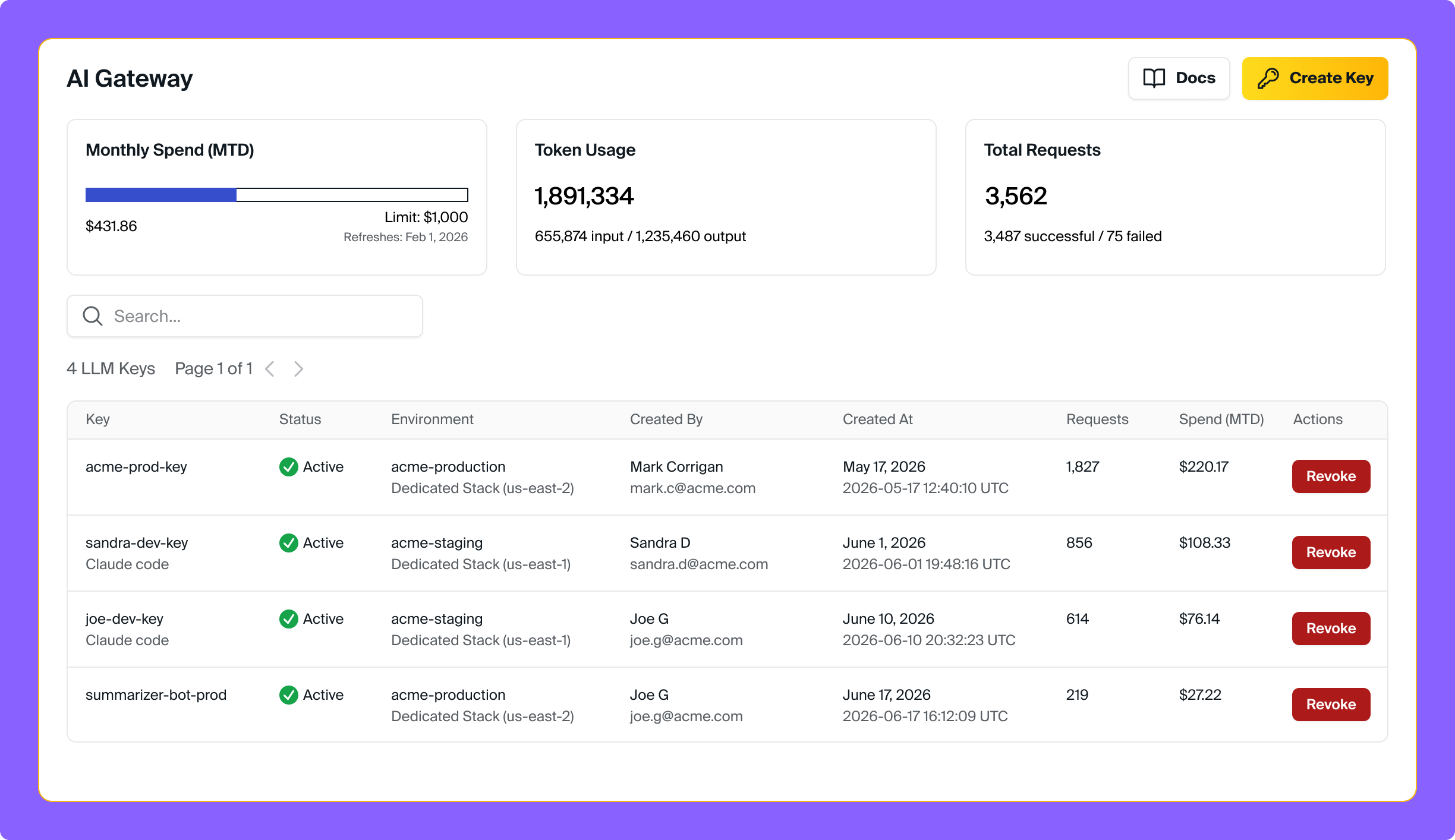
The AI Gateway works as a standalone product or alongside your existing Aptible infrastructure. No apps or databases required. Sign up and start sending requests right away. See the [pricing page](#) for plan and usage details.
Aptible's AI Gateway gives you a single, compliant API for leading model providers, so your team can build securely with AI without having to configure directly with LLM providers. Through one endpoint and one key, you can:
* Access 400+ models across Claude, GPT, Nova, Llama, Qwen, and more through a single API
* Govern which models your team can use with environment-level model access policies
* Control and monitor spend with organization-wide limits, plus per-environment and per-key cost visibility
* Review request history and inspect full request and response logs to troubleshoot and refine prompts
* Drain traces to Langfuse for deeper observability
* Send PHI safely under Aptible's HIPAA BAA, with automatic audit logging and encryption
## Get Started
Step-by-step guide covering key creation, initial setup, and the LLM Gateway's core features.
## Supported Models
The AI Gateway supports 400+ models across Claude, GPT, Nova, Llama, Qwen, and more. [See Supported Models for full details](/supported-models).
`bedrock/anthropic` Haiku, Sonnet, and Opus
`openai` GPT-4o, GPT-4.1, GPT-5, o3, o4
`bedrock` Amazon Nova, Meta Llama, Qwen & more
## Features
### Model Access Policies
## Overview
The AI Gateway works as a standalone product or alongside your existing Aptible infrastructure. No apps or databases required. Sign up and start sending requests right away. See the [pricing page](#) for plan and usage details.
Aptible's AI Gateway gives you a single, compliant API for leading model providers, so your team can build securely with AI without having to configure directly with LLM providers. Through one endpoint and one key, you can:
* Access 400+ models across Claude, GPT, Nova, Llama, Qwen, and more through a single API
* Govern which models your team can use with environment-level model access policies
* Control and monitor spend with organization-wide limits, plus per-environment and per-key cost visibility
* Review request history and inspect full request and response logs to troubleshoot and refine prompts
* Drain traces to Langfuse for deeper observability
* Send PHI safely under Aptible's HIPAA BAA, with automatic audit logging and encryption
## Get Started
Step-by-step guide covering key creation, initial setup, and the LLM Gateway's core features.
## Supported Models
The AI Gateway supports 400+ models across Claude, GPT, Nova, Llama, Qwen, and more. [See Supported Models for full details](/supported-models).
`bedrock/anthropic` Haiku, Sonnet, and Opus
`openai` GPT-4o, GPT-4.1, GPT-5, o3, o4
`bedrock` Amazon Nova, Meta Llama, Qwen & more
## Features
### Model Access Policies
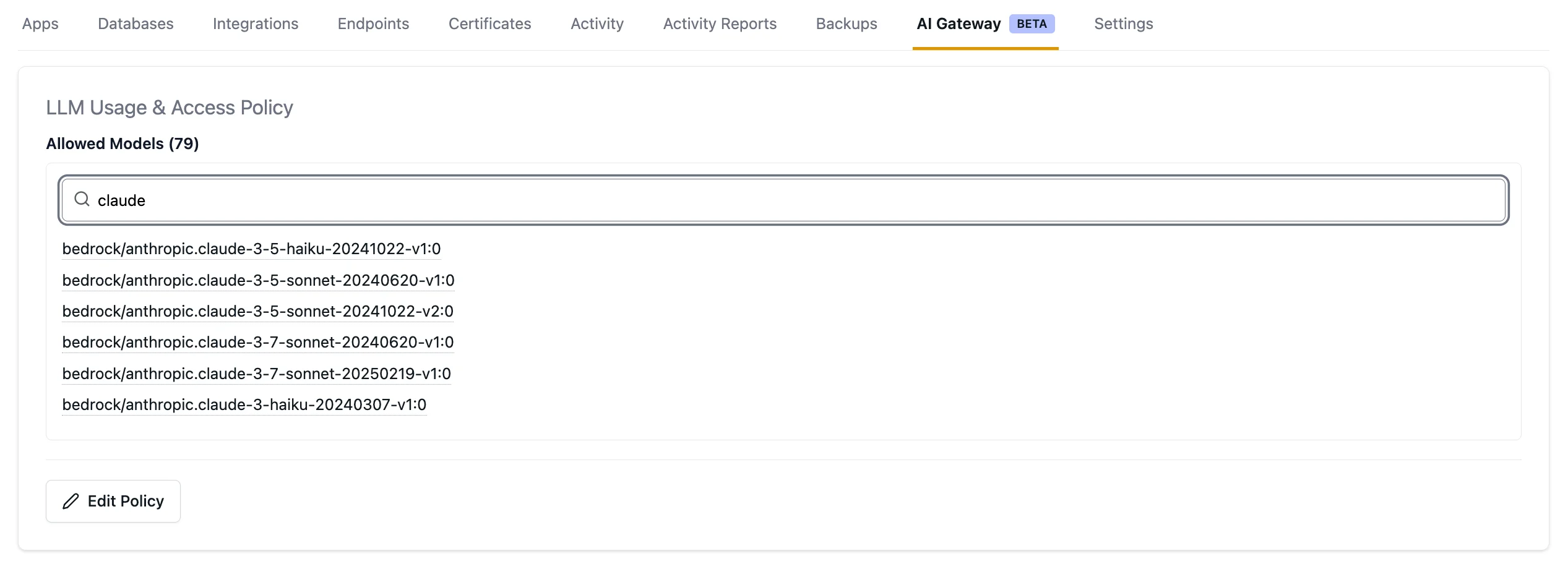 Control which models your team can use by configuring model access policies at the environment level. Policies apply to all LLM keys within an environment, giving you centralized control over model usage across your applications and developers.
[Learn more about Model Access Policies →](/ai-gateway/model-access-policies)
### Cost Visibility & Control
Control which models your team can use by configuring model access policies at the environment level. Policies apply to all LLM keys within an environment, giving you centralized control over model usage across your applications and developers.
[Learn more about Model Access Policies →](/ai-gateway/model-access-policies)
### Cost Visibility & Control
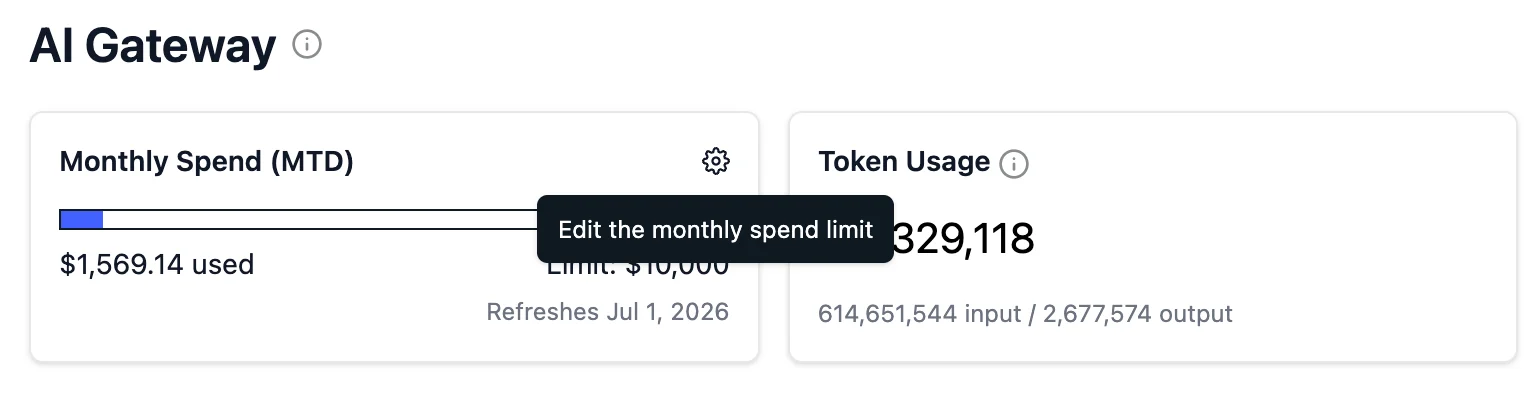 Set an organization-wide monthly spending limit and track LLM usage at the organization, environment, and per-key level so you always know what's being spent and where.
[Learn more about Cost Visibility & Control →](/ai-gateway/cost-control)
### Audit Logging
Set an organization-wide monthly spending limit and track LLM usage at the organization, environment, and per-key level so you always know what's being spent and where.
[Learn more about Cost Visibility & Control →](/ai-gateway/cost-control)
### Audit Logging
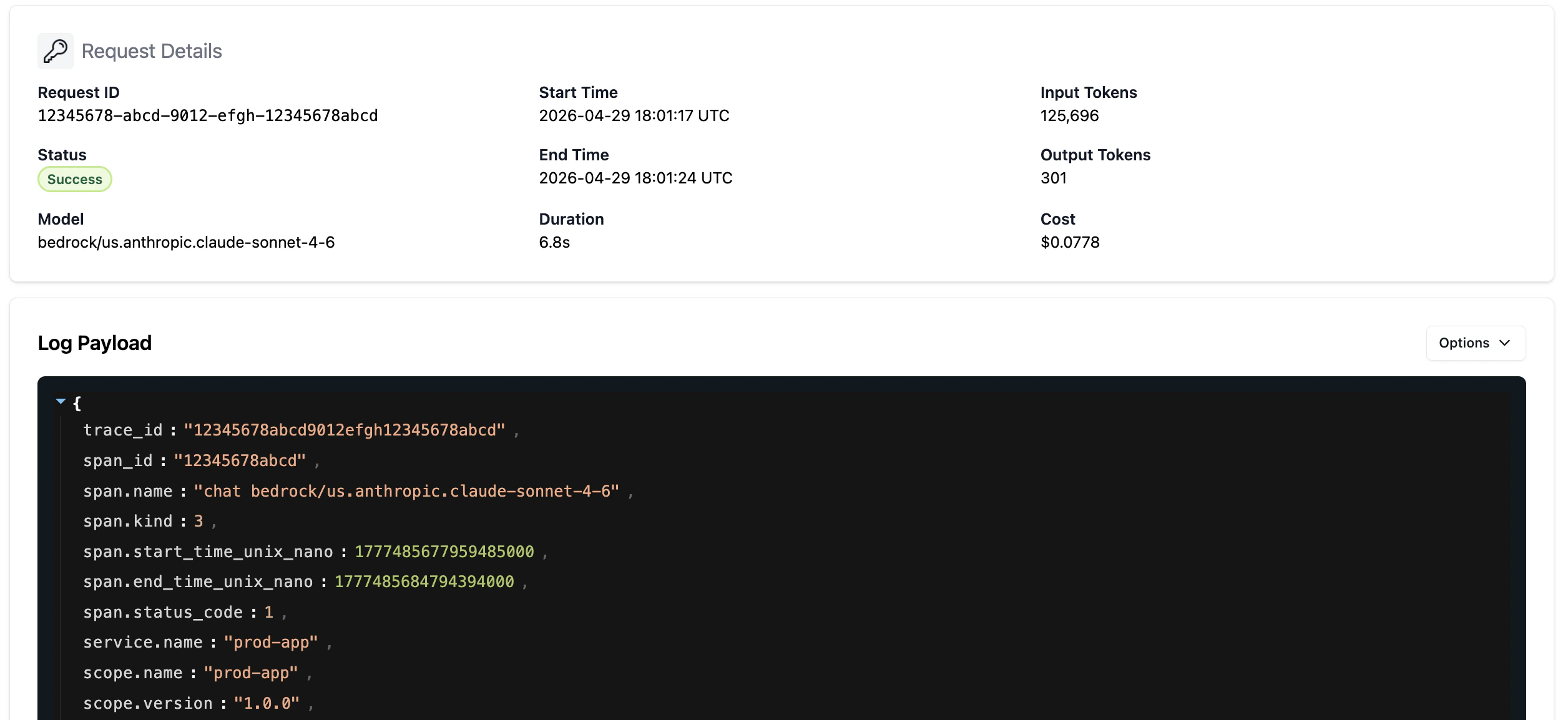 Every LLM request and response is automatically logged. View request history and full request and response logs in the Aptible dashboard for 7 days, and drain traces to Langfuse for long-term retention and deeper observability.
[Learn more about Audit Logging →](/ai-gateway/audit-logging)
### Security & Compliance
The AI Gateway provides HIPAA compliance out of the box, including BAA coverage, automatic audit logging, encryption in transit and at rest, and a prohibition on PHI being used for model training.
[Learn more about Security & Compliance →](/ai-gateway/security-and-compliance-guardails)
## Support and Feedback
We'd love to hear from you as you use the AI Gateway. If you have questions, run into issues, or have feature requests, [contact us](https://app.aptible.com/support).
Every LLM request and response is automatically logged. View request history and full request and response logs in the Aptible dashboard for 7 days, and drain traces to Langfuse for long-term retention and deeper observability.
[Learn more about Audit Logging →](/ai-gateway/audit-logging)
### Security & Compliance
The AI Gateway provides HIPAA compliance out of the box, including BAA coverage, automatic audit logging, encryption in transit and at rest, and a prohibition on PHI being used for model training.
[Learn more about Security & Compliance →](/ai-gateway/security-and-compliance-guardails)
## Support and Feedback
We'd love to hear from you as you use the AI Gateway. If you have questions, run into issues, or have feature requests, [contact us](https://app.aptible.com/support).