

Sign up for the AI Gateway beta to get started.
Getting Started
Sign up for the beta
Sign up for (or sign in to) your Aptible account. Once you are signed in, you can join the AI Gateway beta at https://app.aptible.com/llm-keys.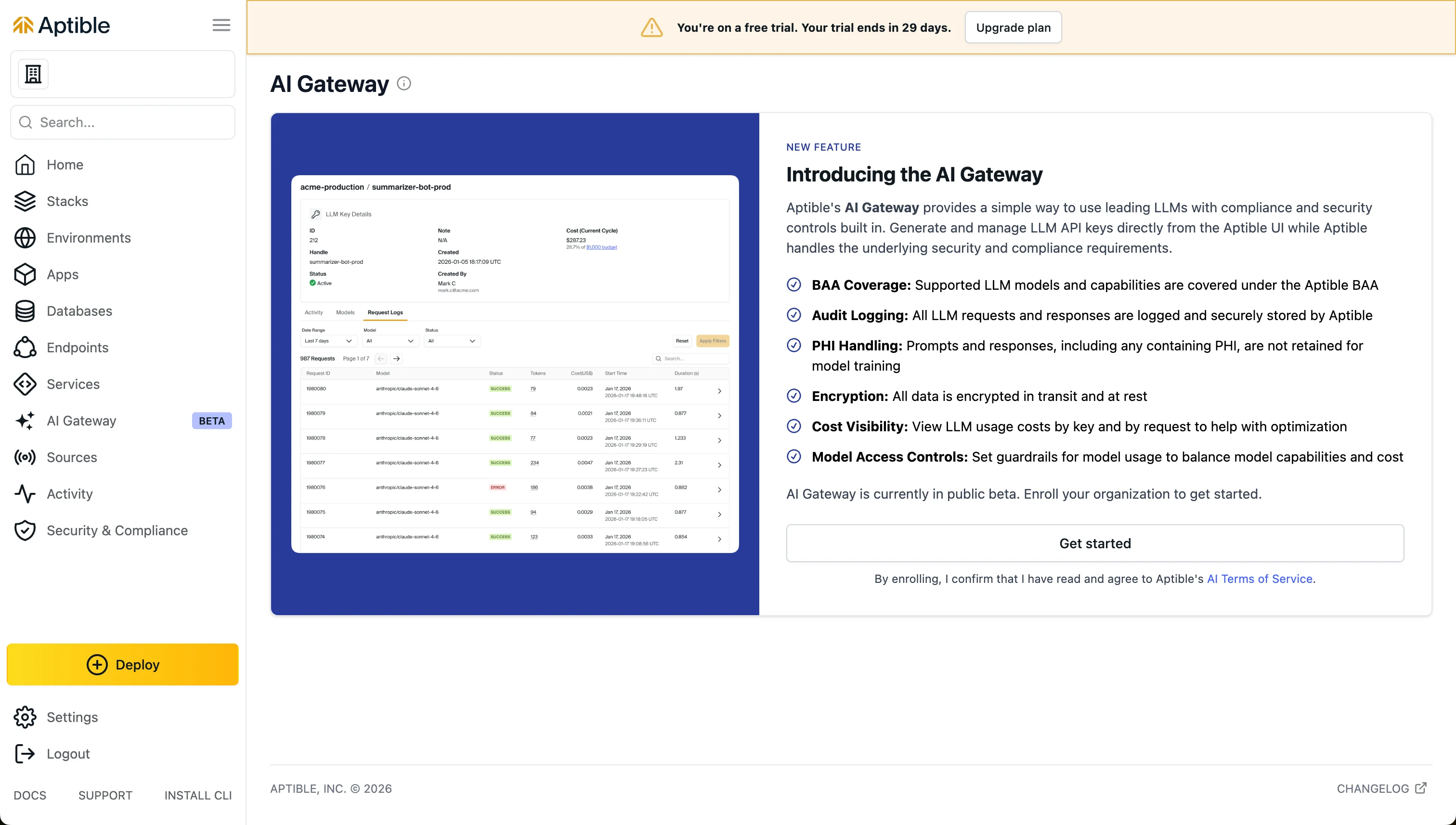
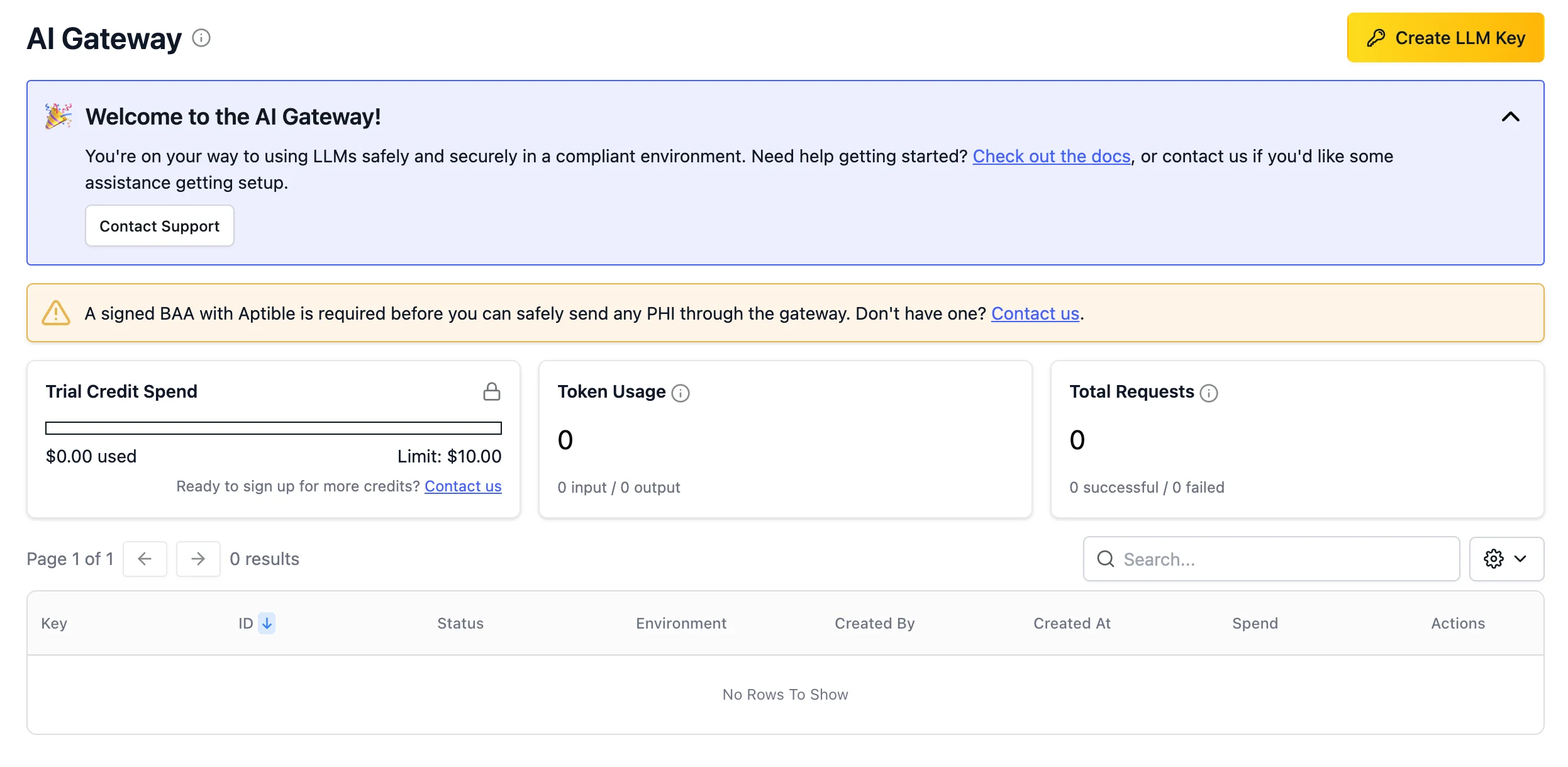
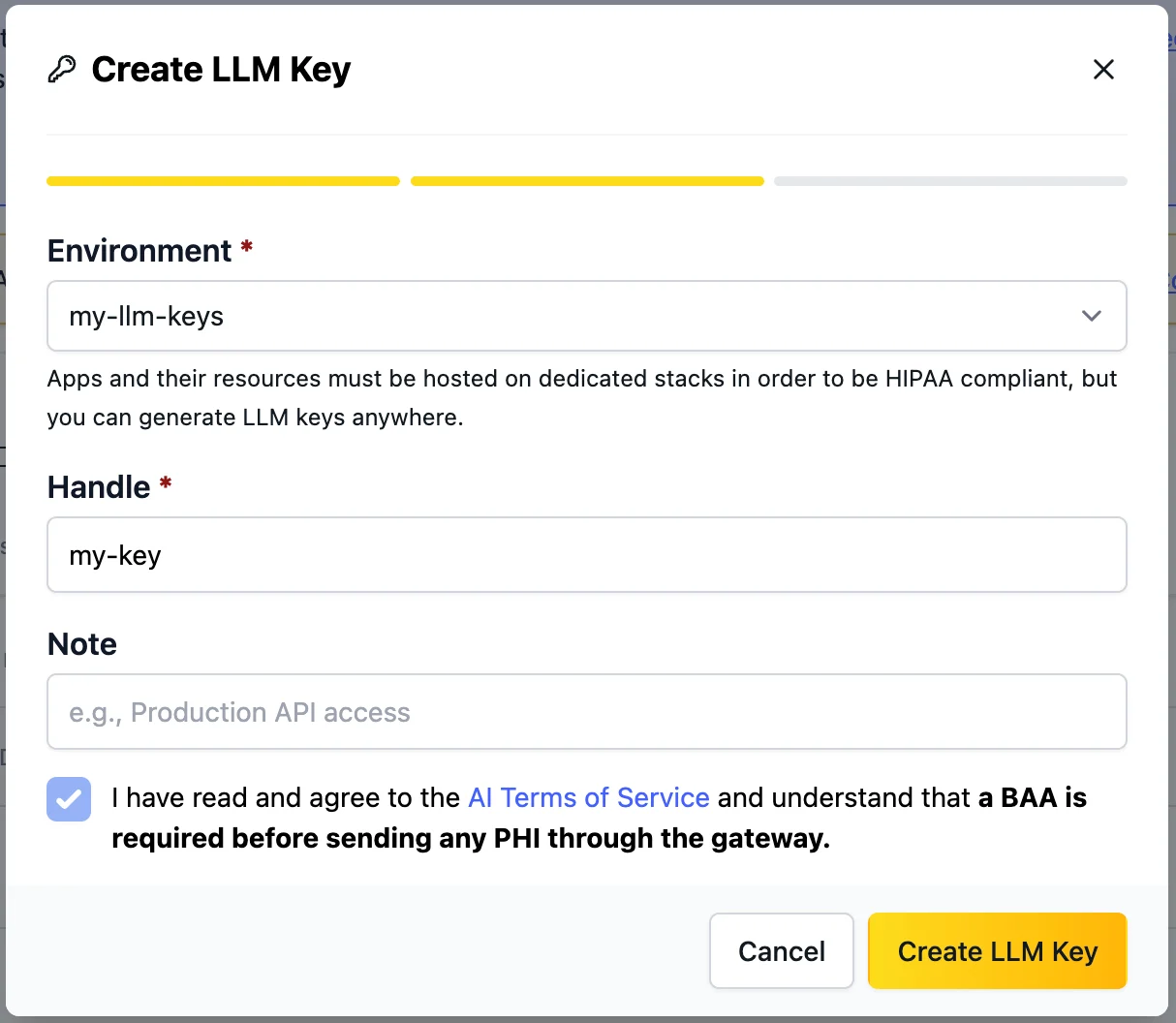
Create an LLM key
Click Create LLM Key on the AI Gateway page.You’ll start by creating an Environment, which is how keys and resources are organized in Aptible. This will help you apply model access controls and other permissions to your keys.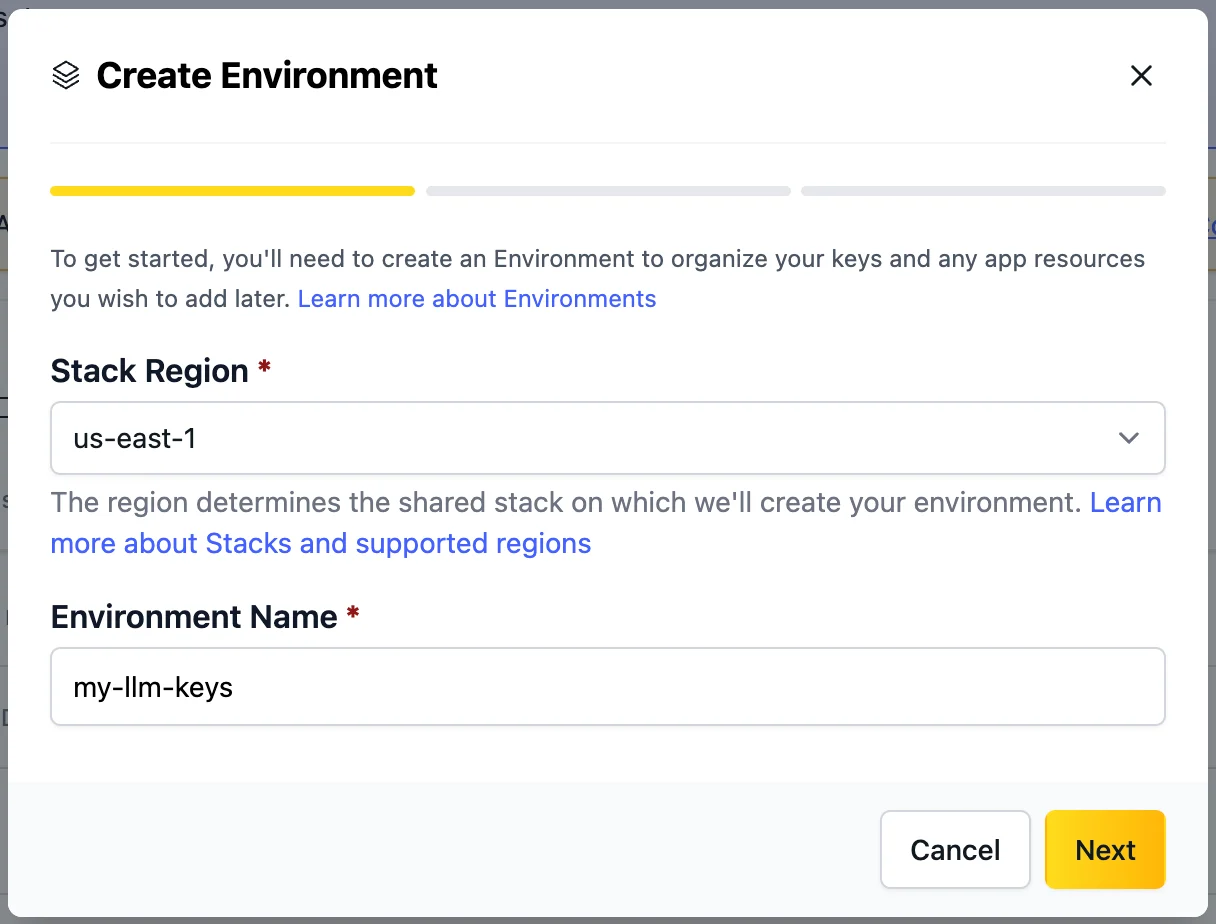
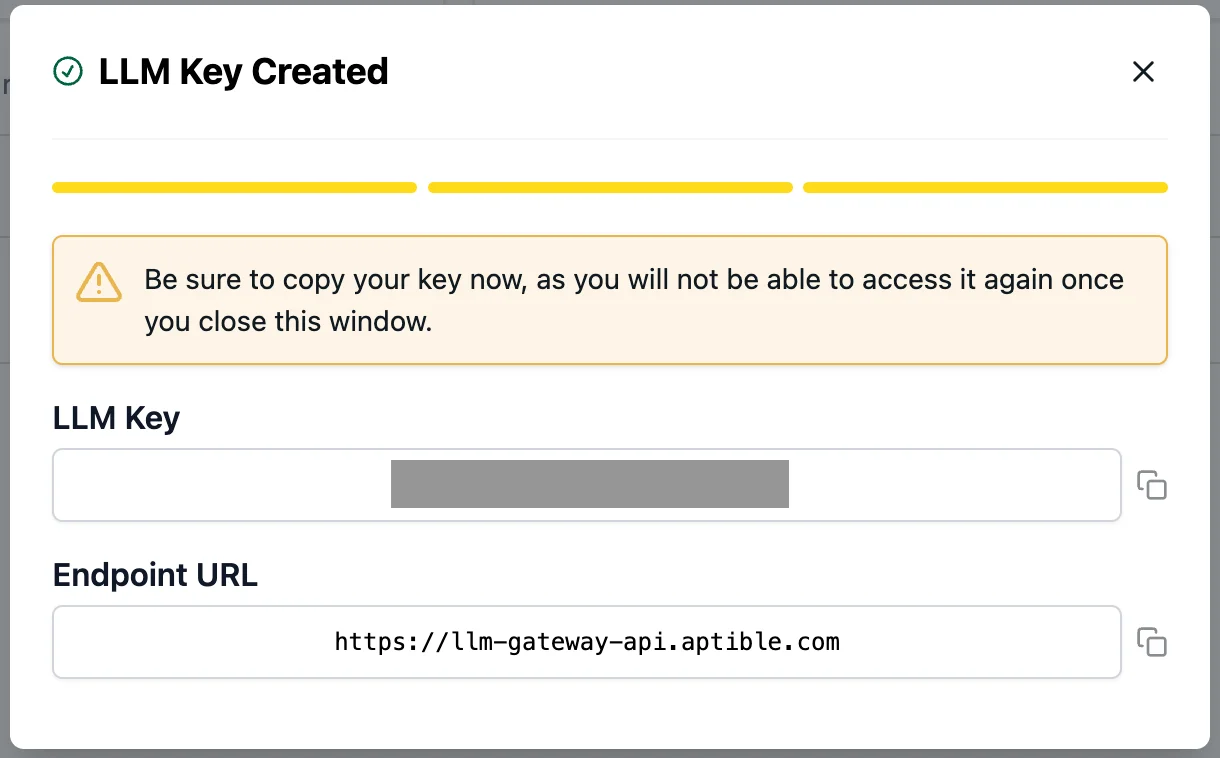
Connect to the gateway
First, select the model you want to use. You can see the available models in the key details page; copy your desired model string and use it wherever you use your LLM key.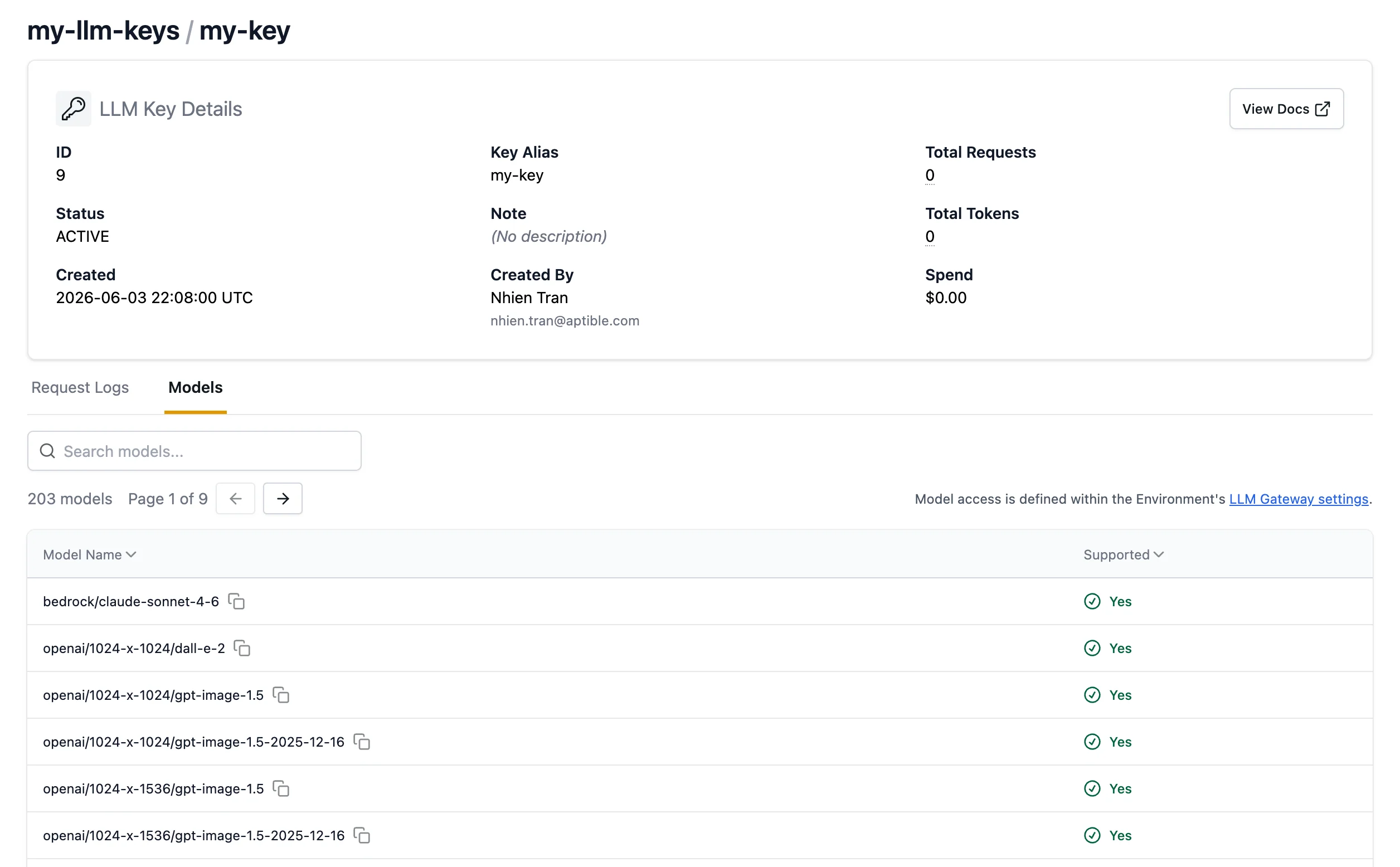
- Enable Developer Mode: Open Claude Desktop and go to Help > Troubleshooting > Enable Developer Mode.
- Access Inference Settings: A new “Developer” menu will appear after Claude restarts. Click Developer > Configure third-party inference.
- Enter the Gateway base URL: Select “Gateway” as your connection type, and use https://llm-gateway-api.aptible.com.
- Set your Gateway API key: paste your Aptible LLM key here, and set the Gateway auth scheme to “bearer”.
- Save and Restart: Click Apply locally, then fully quit and restart Claude Desktop to load the new settings.
Supported Models
The AI Gateway supports models from three providers:| Provider | Example Models | Prefix |
|---|---|---|
| Anthropic | Claude Opus, Claude Sonnet | bedrock/anthropic |
| OpenAI | GPT-5.2 | openai/ |
| Amazon Bedrock | Qwen, Llama, and other Bedrock-hosted models | bedrock/ |
Model availability may change during the beta. Check the LLM key details page for the current list of available models.
Features
Model Access Policies
Control which models your team can use by configuring model access policies at the environment level. Policies apply to all LLM keys within an environment, giving you centralized control over model usage across your applications and developers.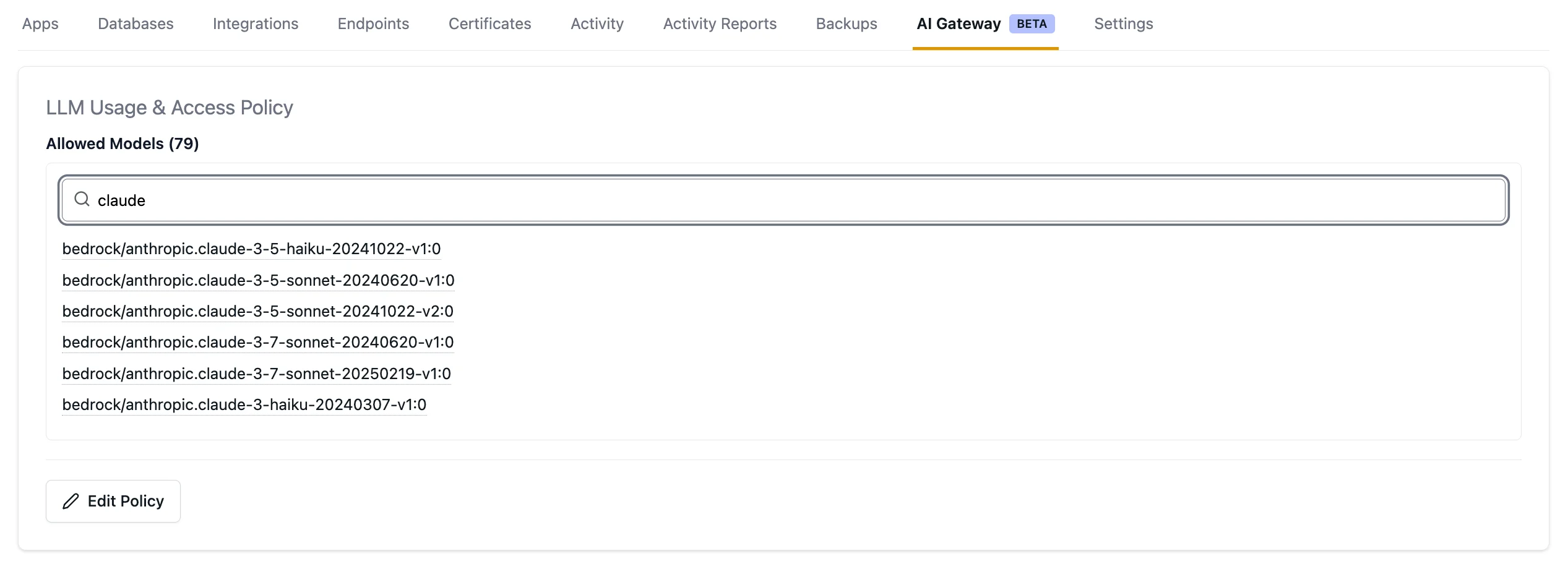
Cost Control and Visibility
Set your organization-wide usage limit by clicking the gear icon in the monthly spend tile on the AI Gateway page. You can set the limit to anything between $1 and $10,000; reach out to Aptible Support if you want to change the max limit.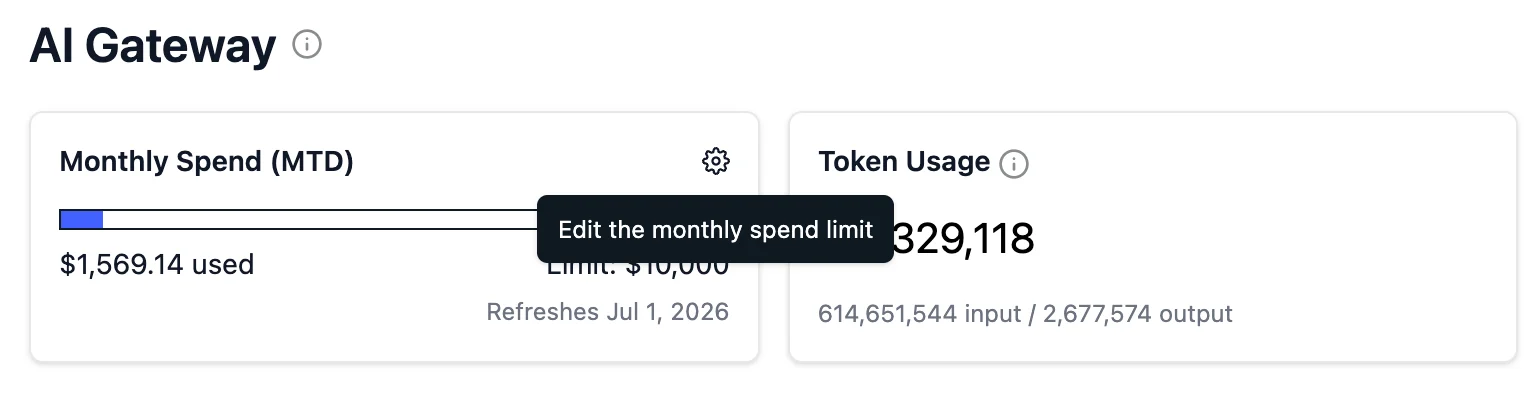
- Organization-level costs — See total AI Gateway spend across all keys and environments for the current billing period.

- Environment-level costs — View spend by environment to understand which teams or applications are driving usage.
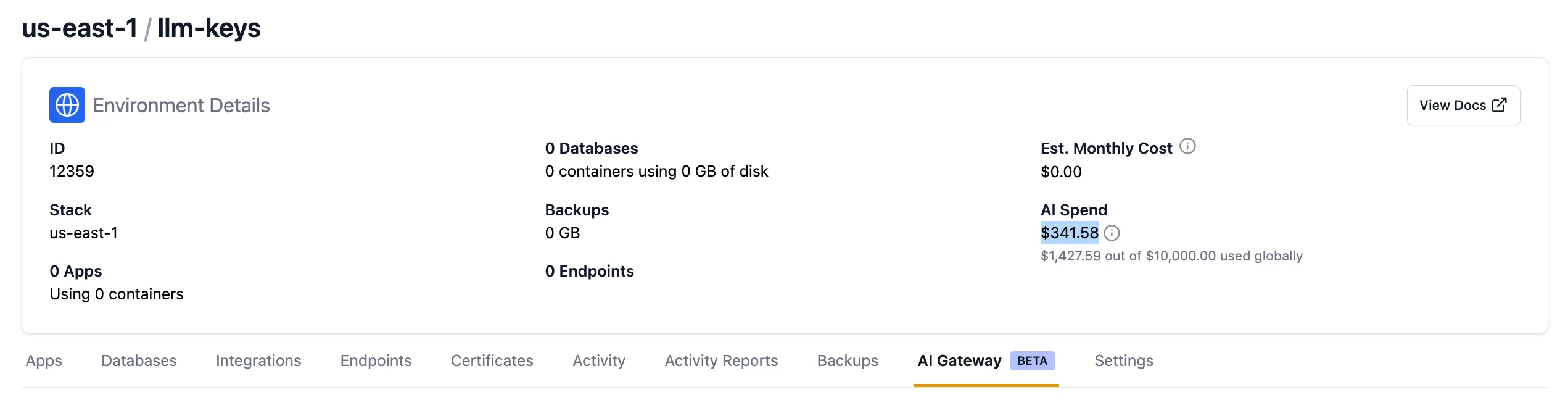
- Per-key costs — View usage costs for each individual LLM key during the current billing period to identify which keys generate the most activity and find opportunities for cost optimization.

Request History
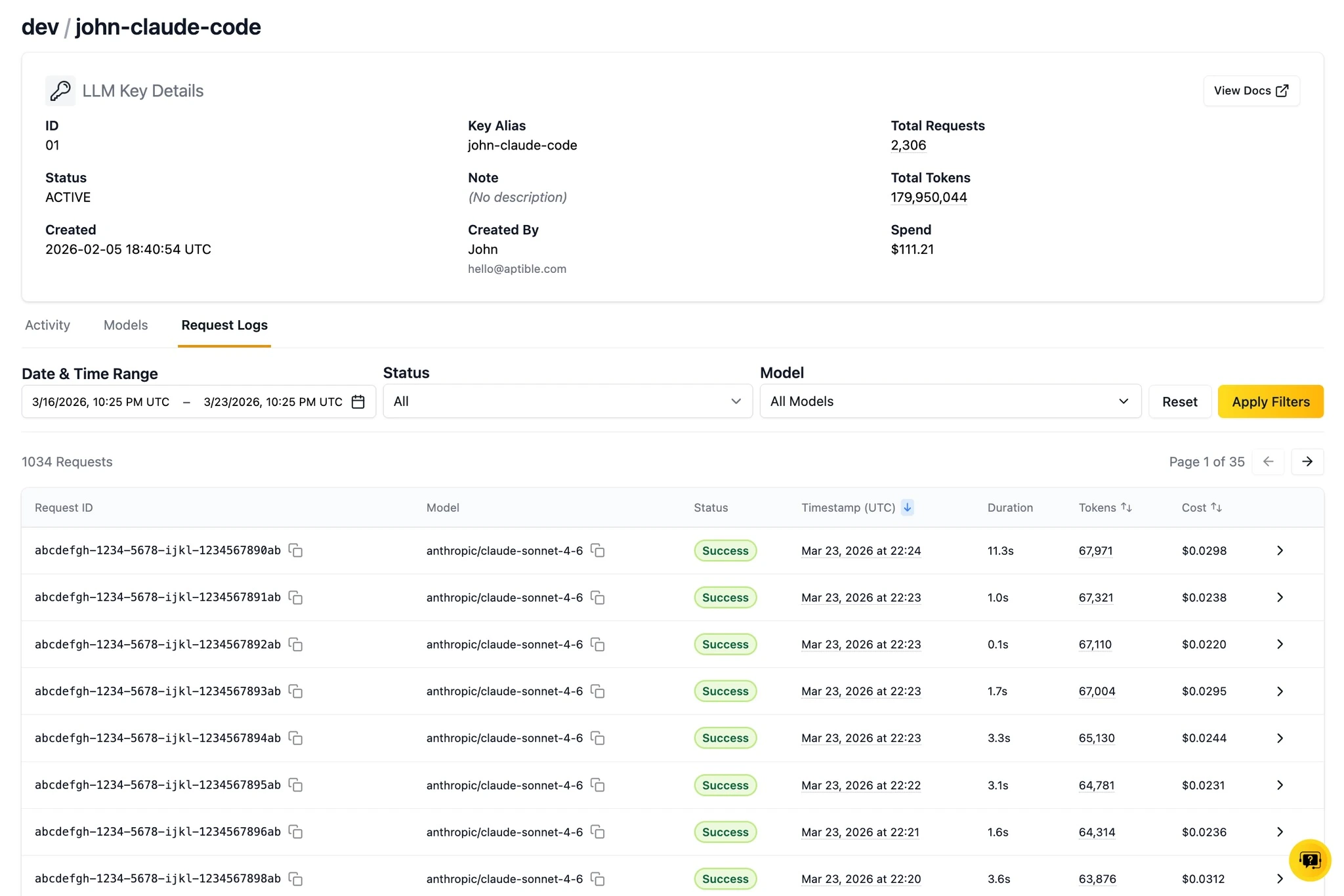
View request activity for each key over the past week. The key details page shows token consumption and associated costs for each request, giving you visibility into how your keys are being used.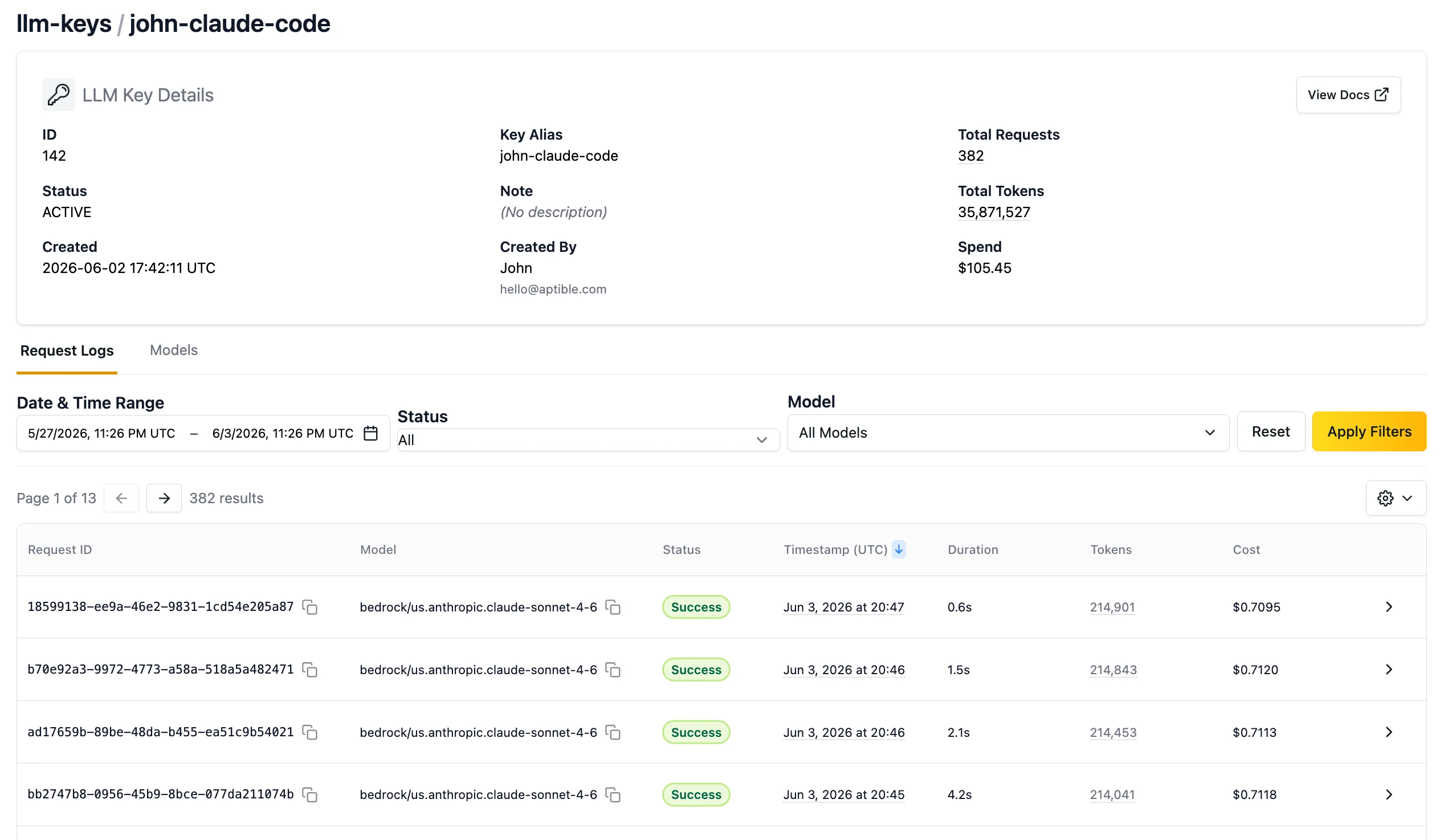
Request Logs
LLM requests and responses are available in the Aptible dashboard to help with prompt refinement and troubleshooting. For every request, you can see the full LLM request and response logs in the UI for 7 days. Click on the chevron in any request row to see the full request details.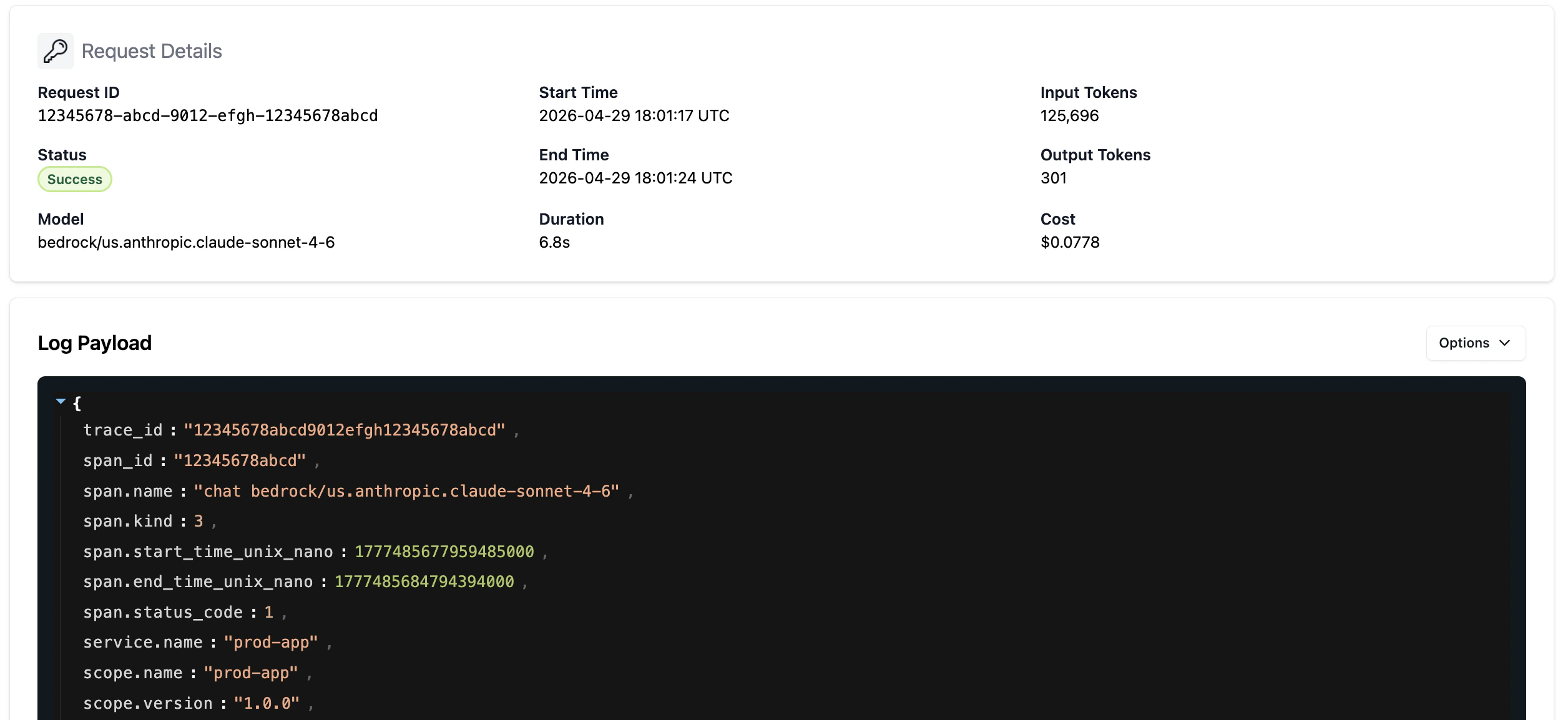
Trace Drains to Langfuse
See Langfuse integrationCompliance
The AI Gateway provides HIPAA compliance out of the box:- BAA coverage — Aptible’s BAA covers all models and capabilities accessed through the gateway.
- Audit logging — All LLM calls are automatically logged for compliance and auditing purposes.
- No PHI training — LLM providers are prohibited from retaining or using PHI for model training.
- Encryption — All data is encrypted in transit and at rest.
Coming Soon
We’re actively building new capabilities for the AI Gateway:- Data residency — Deploy the AI Gateway in specific regions to meet local data residency and compliance requirements.